Physical Address
34 Ire-Akari Estate Road, Isaga Tedo, Lagos, Nigeria
Physical Address
34 Ire-Akari Estate Road, Isaga Tedo, Lagos, Nigeria

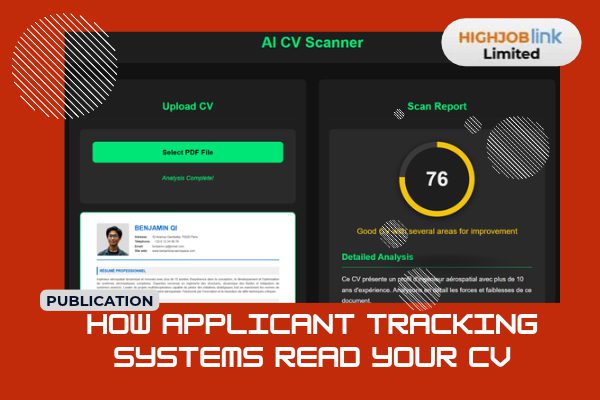
Applicant tracking systems read your CV differently from people. Learn how they parse it and how to format yours well.
You spend hours polishing your CV, send it to a promising employer, and hear nothing back. It is easy to assume the company simply was not interested. Often, though, the first reader of your application is not a person at all. It is an applicant tracking system, usually shortened to ATS, and it may have misunderstood your document long before a recruiter saw it.
This guide explains what an ATS actually does, how it breaks your CV into pieces, where candidates lose points without knowing it, and what you can change today. The advice here is practical and based on how these tools are commonly described by their makers and by recruiters. Where I am not certain about something, I say so.
An ATS is software that employers use to collect, store and sort job applications. When you apply through a company website or a job board, your CV usually lands in one of these systems. It gives recruiters a central place to see every applicant, filter them, move them through stages and keep records.
Many people believe an ATS automatically rejects most candidates with a robot’s cold judgement. The reality is less dramatic. In most systems, the software organizes and ranks, and a human recruiter makes the decisions. Still, a recruiter who receives three hundred applications will rarely read all of them. They search, filter and sort first, so how the system reads your CV affects whether anyone ever opens it.
When your file is uploaded, the system tries to extract text and sort it into fields. This process is called CV parsing. The software looks for your name, contact details, job titles, employers, dates, education, certifications and skills, then stores each one in a separate box in a candidate profile.
You can think of it as a clerk who reads your document and copies the details onto a standard form. If the clerk finds neat headings and clear dates, the form is filled in correctly. If the layout is confusing, details end up in the wrong box or go missing altogether. A job title might be saved as a company name. A date range might be read as a single year. A skill listed inside a graphic might not be captured at all.
This is why a CV that looks beautiful to you can look messy to the system. Parsing quality varies between products, and no one outside the vendor can promise exactly how any one system behaves. That is also why simple, conventional formatting is the safest choice.
After parsing, the ATS stores your profile and makes it searchable. Recruiters then use it in a few typical ways.
First, they search by keyword. A recruiter hiring an accountant might search for terms such as reconciliation, payroll, or a software name. Profiles containing those terms come up. Profiles without them stay buried.
Second, they filter by structured details such as location, years of experience, education level or required certification. If your dates did not parse correctly, your experience may be calculated wrongly.
Third, some systems score or rank candidates by comparing your profile with the job description. The exact method differs by product, and many vendors do not publish the details. What is generally true is that a closer match between the language in your CV and the language of the advert helps.
Finally, some employers add screening questions, such as whether you have the right to work in a country or hold a specific license. A “no” answer can move you out of the main pile automatically, so answer those questions honestly and carefully.
Parsing tools read text in the order it appears in the file. Several design choices can interrupt that flow.
Tables and columns are a common problem. When your CV uses two columns, the software may read straight across both, mixing a sentence from the left column with one from the right. Text boxes and headers or footers can be skipped. Contact details placed in the header of a Word file are sometimes missed, which can leave your profile without a phone number or email.
Images, icons, charts and skill rating bars carry no readable words. If you show your Excel level as four filled circles, the system sees nothing. Write “Microsoft Excel, advanced” in plain text instead.
Fancy fonts, unusual bullet symbols and decorative lines can also turn into strange characters. Stay with common fonts and standard bullet points.
A scanned CV or a screenshot saved as a PDF is the worst case, because it contains a picture of text rather than text itself. If you have a text-based file, send that.
ATS tools look for familiar section names. Clear labels such as Professional Summary, Work Experience, Education, Skills and Certifications help the parser place your information correctly. Creative headings like “My Journey” or “What I Bring” may sound friendly, but they make the software guess.
Within your work experience, keep a consistent pattern. List the job title, the employer, the location and the dates in the same order every time. Use a clear date format such as “March 2022 to June 2024.” Consistency makes parsing more reliable and also helps a human reader scan quickly.
Keywords are the words and phrases recruiters search for, and they come straight from the job advert. Read the post slowly and note the tools, qualifications, methods and responsibilities it names. If you truly have those skills, use the same wording in your CV.
Use the standard form of a term, and where it helps, include both the full name and the common abbreviation, for example “search engine optimization (SEO)” or “customer relationship management (CRM).” That way you are found whichever version the recruiter types.
Place keywords where they make sense, mainly in your skills section and in your experience bullets, backed by real examples. Do not repeat a word twenty times or hide invisible text in the margins. Recruiters notice, and some systems flag it. Keywords work best as part of honest sentences about things you have actually done.
If you want to go deeper on matching groups of related skills rather than single words, read our guide on how to optimize your application for the 2026 algorithms that scan for skill bundles.
Even a perfectly parsed CV still has to impress a human. Strong bullets name what you did, how you did it and what changed because of it. Compare these two.
Weak: “Responsible for handling customer accounts.”
Stronger: “Managed a portfolio of 40 retail customer accounts, resolved billing disputes within two working days, and reduced repeat complaints by improving how follow-ups were recorded.”
The stronger line contains useful keywords, shows scope and hints at a result. Use only figures you can defend. If you are not sure of an exact number, describe the scale in plain words instead. For more on this, see our post on writing CV bullet points that get interviews.
Follow the employer’s instructions first. If the advert asks for a Word document, send Word. If it asks for a PDF, send a PDF. When nothing is stated, a standard Word document or a text-based PDF is usually safe. Avoid unusual formats and avoid password protection.
Give the file a sensible name, such as “Firstname-Lastname-CV.” A name like “final-final-version-3” looks careless, and some recruiters download many files to the same folder.
After finding your CV, recruiters often look you up online. Make sure your job titles, employers and dates match across your CV and your professional profile. Differences raise doubts. If you need help, our guide to building a LinkedIn profile that recruiters find covers it step by step.
Your CV holds sensitive details, including your phone number, address and employment history. Only share it with employers and platforms you have checked. In Nigeria, the Nigeria Data Protection Commission oversees how organizations handle personal data under the Nigeria Data Protection Act, and its website explains the rights people have over their information. You can read more at the Nigeria Data Protection Commission. Do not include sensitive items you do not need to share, such as your bank details or national identity number, in a CV.
Be careful with fake recruiters too. A genuine employer does not charge you to have your CV “ATS optimized” or to be considered for a role. The US Federal Trade Commission publishes clear guidance on spotting job scams, and the warning signs it lists apply anywhere. See the FTC advice on job scams.
Try this quick check. Copy all the text from your CV and paste it into a plain text editor such as Notepad. Read it from top to bottom. If the order is jumbled, details are missing, or strange symbols appear, a parser may struggle too. Fix the layout until the plain text reads cleanly.
Then run through this short list. Does your name and contact detail appear in the main body, not just a header? Are your headings standard? Are dates and job titles in a consistent pattern? Does your skills section use the words in the advert that honestly apply to you? Is the file text-based and sensibly named? If you can say yes to each, you have removed the most common obstacles.
An applicant tracking system is not an enemy and it is not magic. It is a filing and searching tool that works best when your CV is clear, conventional and honest. You do not need to trick it. You need to make your real experience easy to read, easy to find and easy to understand, both for the software that sorts it and for the person who finally opens it.
Spend an hour this week reviewing your CV with these points in mind, then tailor it for each role you apply for. That small effort often makes the difference between an application that disappears and one that earns a reply.